As we all are aware with debugging and have used it while testing our queries or troubleshooting . Now in SQL 2008 its possible to debug our queries in SSMS.
Its simple and easy. Lets see how to do it.
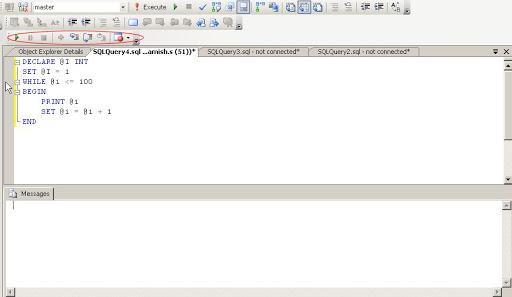
In toolbar we have toolbar of Debug , if not we can open it as below

Now we will run below query in SSMS
DECLARE @I INT
SET @I = 1
WHILE @I <= 100
BEGIN
PRINT@I
SET @I = @I + 1
END
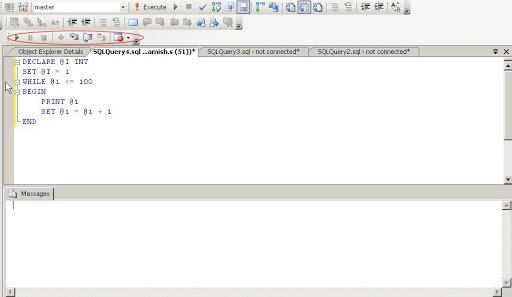
Now start debugging as shown below
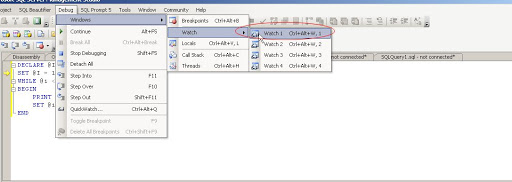
Open watch window as show below
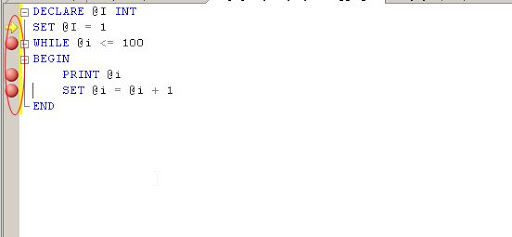
Now create breakpoints in the query, by clicking at starting of the row.
Type parameter @i in the Name field of watch window. Monitor the value of @i in the watch window.

Ok fine. Now I want to jump the value . I want to set its value to some new number
See below how to modify it. Modify it and start debugging.
Is it simple 🙂

 Lets SQL