We all are aware of backup in SQL Server and how important it is. But very few have paid attention at backup location. When we take backup SQL Server show folder which is assigned for default backup.
But as its in C drive , almost majority will change location while taking backup.
So its better if we change default backup location to new address.
Its little tricky but simple here
I am using SQL 2012 here

But as its in C drive , almost majority will change location while taking backup.
So its better if we change default backup location to new address.
Its little tricky but simple here
I am using SQL 2012 here
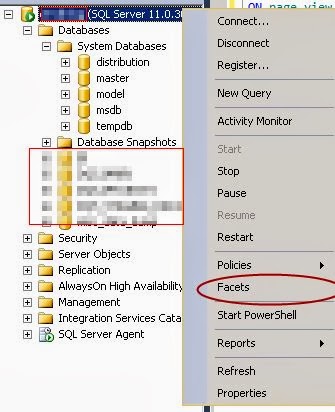
Right click on ServerName in SSMs
Then click on Facets
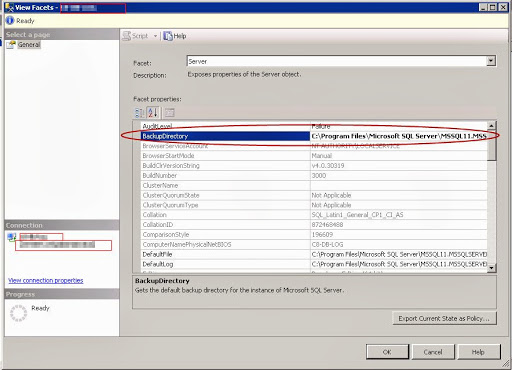
Now here we can see the default backup location
Change its with your desired one , its simple 🙂
 Lets SQL